
You asked. We listened. We’ve added some of the most requested features to make time tracking easier.
Subscription free? Your Choice
We believe you should have a choice in whether you have a subscription or not. So we’ve doubled down on improving the subscription free version. Now every feature is available without a subscription while still keeping your data private and out of the cloud.
‣ See why we doubled down on one-off purchases
Search
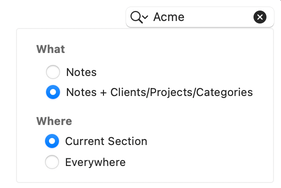
Find anything by typing the first few letters. Quickly drill down to projects, categories or session notes.
Faster and Smoother

OfficeTime is now Apple Silicon Native for faster, smoother tracking and reporting on modern Macs. It still works great on older Intel Macs.
Dark Mode
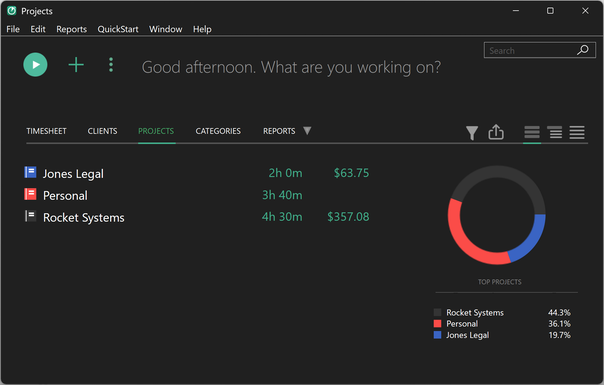
Now both Windows and Mac can use the easy on the eyes dark mode.
Private, Local Sync

Computer ←→ iPhone/iPad
- Sync privately over your local network without your data touching the cloud as always
Computer ←→ Computer
- Your iPhone/iPad can now tie all your computers together. For example, your iPhone syncs with your work computer. Later the iPhone updates your home computer keeping all 3 devices in sync. All without your data touching the cloud. (Available in Pro versions)
- Or keep your data on a shared drive. No need to quit one OfficeTime to open another. (Available in Pro versions)
Saved Reports
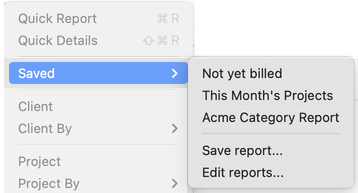
No more fiddling with filters. Easily save and recall the reports you use most. (Available in Pro versions.)
Easy Date Picking
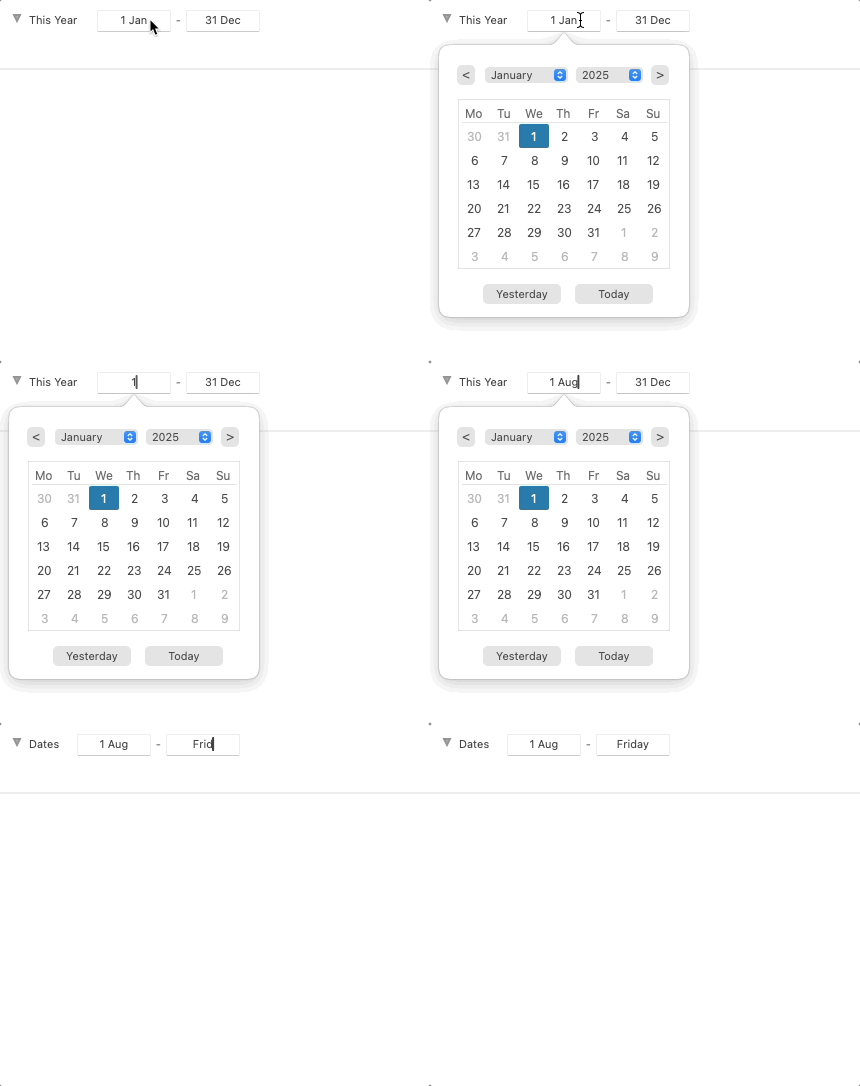
The new date picker lets you easily pick or type dates. Plus the week starts on Monday if you want.
Archive Categories
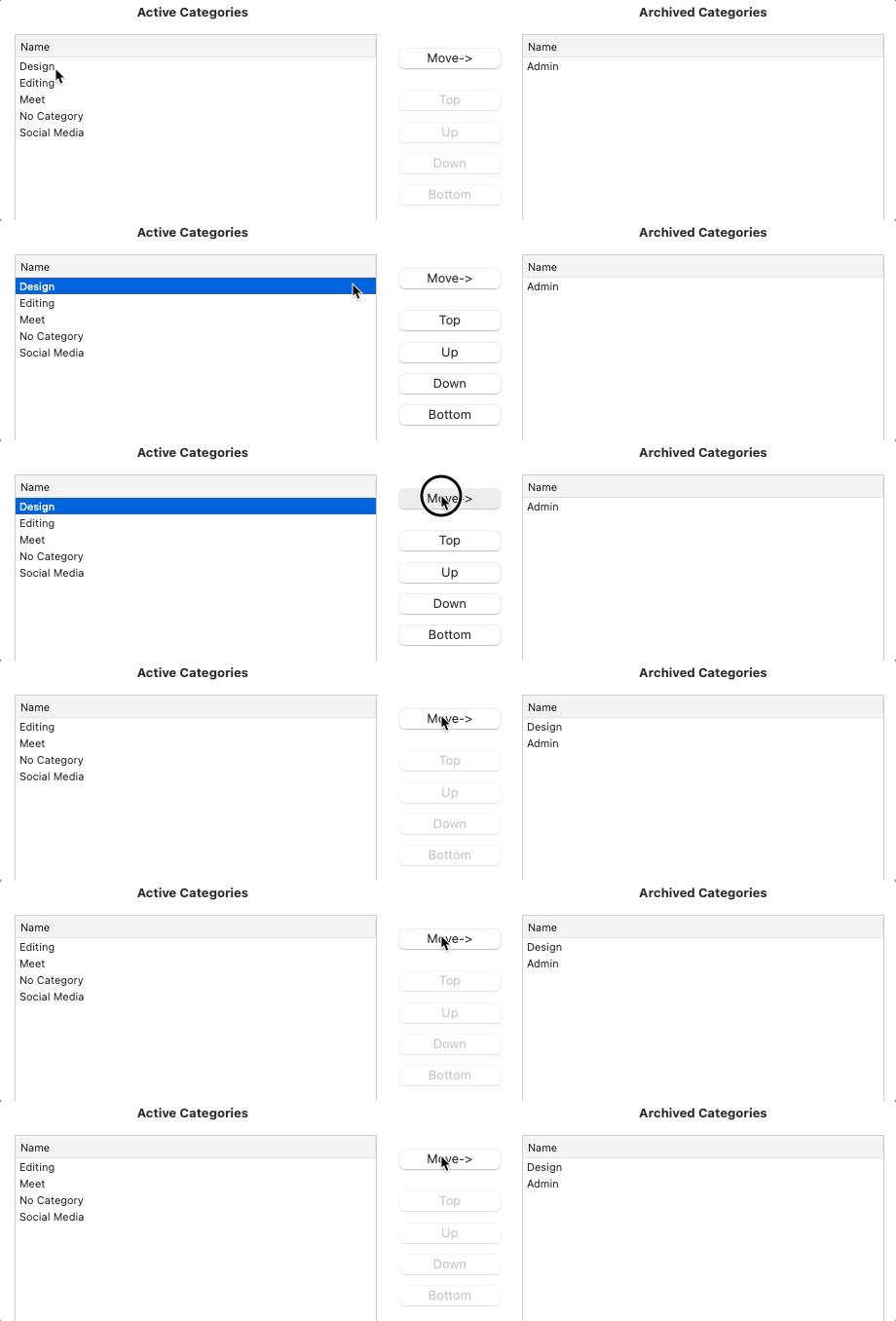
Easily hide old categories without deleting them. Archived categories show for historical but not new entries.
Automatic Updates

No more manually installing new versions. OfficeTime can now automatically update itself.
Budgets
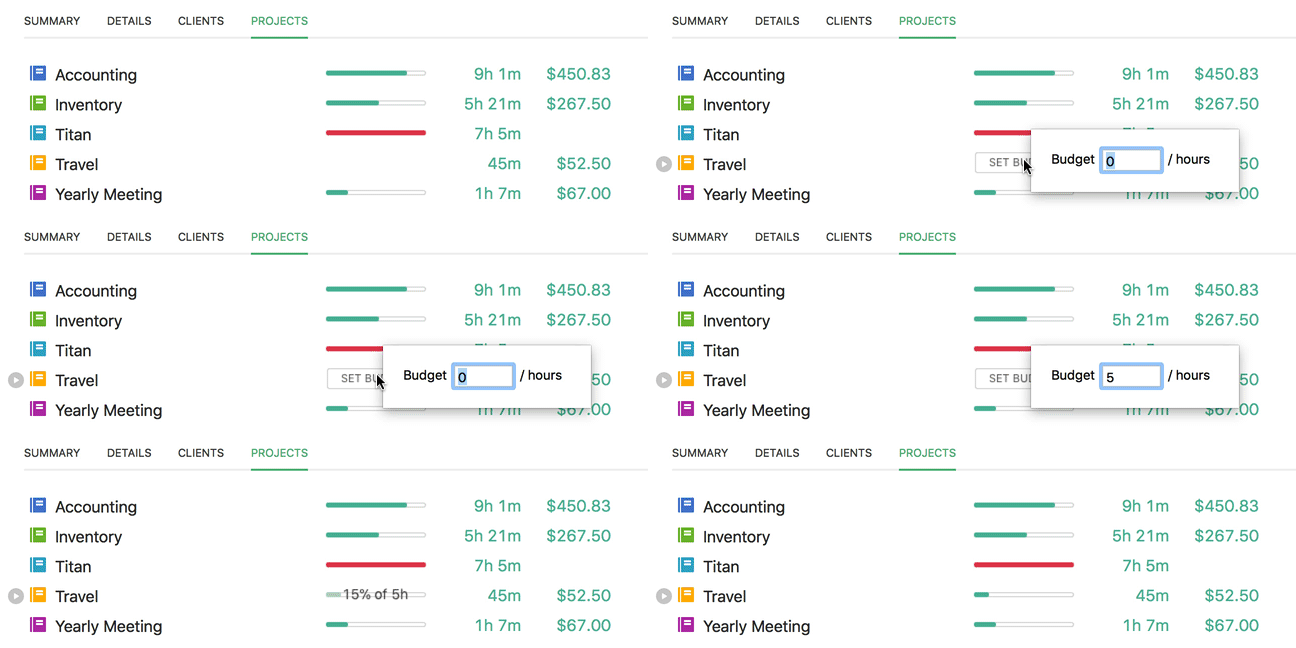
Visually see how close projects are to budget. Now available without a subscription. (Available in Pro versions)
Per Project Rates
Teams can set a rate per person rather than by category. (Available on the Pro Subscription version.)
Backwards Compatible
Your data is safe. Go back and use any older version of OfficeTime anytime. (To go back to version 1, choose File->Export for Older OfficeTime)
Future Compatible
Designed for MacOS 26 and Windows 11 and beyond. We’ve done our best to OfficeTime ready for future OS updates even if you don’t update OfficeTime.